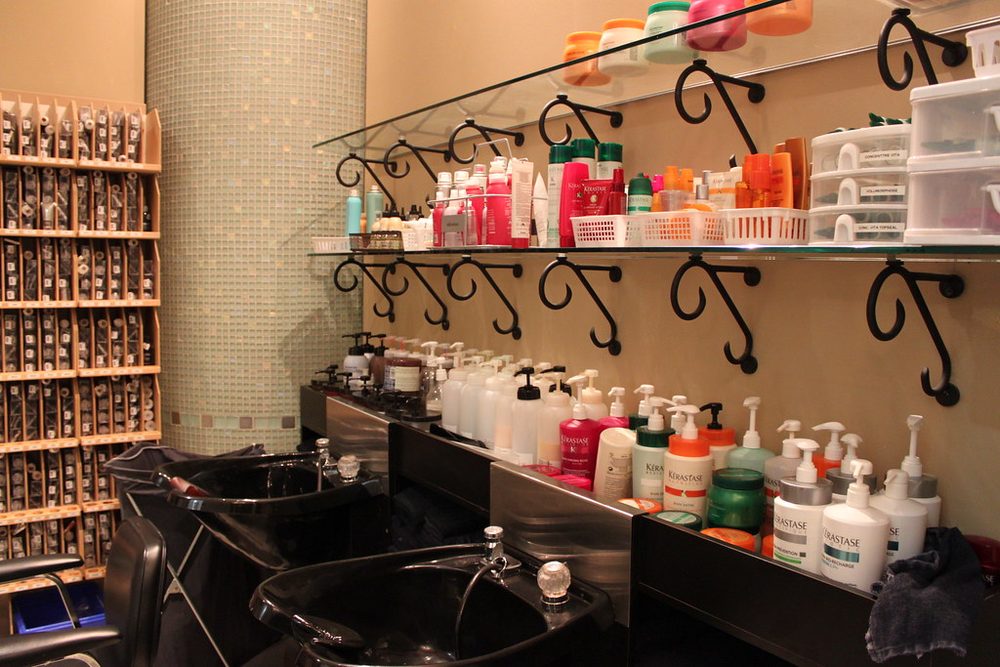
Your website is your first employee. It works 24/7 and answers the questions that stop people from calling: Can I see your work? What do you charge? Can I book tonight? Most salon and spa sites lose bookings because they answer the wrong questions in the wrong order.
Why Your Website Structure Matters More Than Design
A glossy website that makes you proud is not the same as a website that books appointments. The two often conflict. A visitor to your site has one of three intents: Am I in the right place? What can you do for me? How do I book? If your site makes them hunt for answers, they leave.
The structure is what answers those questions fast. A beautiful photo of your salon matters less than a clear price list, team photos, and a working booking button. Structure is the sequence of information that moves someone from browsing to committing. Design should support that sequence, not interrupt it.
Most salon websites fail because they prioritize aesthetics or novelty over clarity. A visitor lands on your home page and sees a full-screen video of ambient water or someone getting a massage, but no immediate answer to: What do you offer? Can I book today? How much? They have to scroll, hunt, or call to find out. Some never do.
The Core Pages Every Salon Must Have
A functional salon website has six essential pages. Each one serves a specific function in the journey from awareness to booking. You do not need more. You may want more, but more pages increase maintenance burden and dilute your message.
- Home: A clear headline that says what you do and where, a gallery of recent work, your team, hours, location, and a booking or contact button. No autoplay video. No parallax scrolling. No pop-ups that block the content. The entire point of a home page is to show someone they are in the right place and give them a path forward.
- Services and Pricing: A complete list of what you offer, with accurate pricing, duration, and what to expect. If you offer 15 services, organize them by category (Hair, Nails, Skincare, Wellness). Show pricing transparently. Hidden pricing signals you are hiding something, and visitors leave.
- Team: Photos and short bios of your stylists, therapists, or barbers. Beauty and wellness are personal services. People want to know who will be serving them, see their work, and ideally read a review or note about their specialty. A paragraph per person is enough.
- Gallery: High-quality before-and-after or service photos. Video clips of a blow-dry or nail design work. Galleries are proof of skill and give people confidence you can do what they are asking for. Update it monthly; an old gallery signals a stagnant business.
- Booking or Contact: Either a working online booking system that syncs to your actual schedule, or a contact form with a clear message like 'We will call you within 2 hours' or 'Responses sent within 24 hours.' If you use a contact form, add your phone number so people can call instead if they prefer.
- Location and Hours: Full address, phone number, parking information if relevant, hours for each day, and a Google Map embed. Do not hide this. People need it before they commit to driving to you.
Do not add pages about why you are passionate about beauty or the history of your salon unless it directly tells someone why they should book with you. Visitors do not browse salon websites for inspiration; they browse to solve a problem. You have seconds to answer it.
Page Load Speed: Why It Kills Bookings
Mobile page speed is not a technical detail. It is a conversion barrier. If your home page takes 5 seconds to load on a phone, you lose bookings before the page finishes rendering. Most salon websites load slowly because they use large, unoptimized photos or outdated hosting.
Test your site right now on your phone using Google PageSpeed Insights or similar tools. If it scores below 75, your speed is costing you money. The fix is usually simple: compress images to under 200 KB each, remove unnecessary code or third-party scripts, upgrade to faster hosting, or use a Content Delivery Network (CDN). A slow page is not a luxury problem; it is lost revenue.
Video is a common culprit. A 10 MB video of your salon lobby does not increase bookings. Text, photos, and a book button do. If you use video, keep it short (under 15 seconds), compress it aggressively, and do not autoplay it. Let visitors choose to watch.
The Path from First Visit to Booked Appointment
Trace what a real visitor does when they land on your site on their phone at 7 p.m. They have seen you on Google Maps or Instagram, and they want to know if they can book tomorrow. Where do they go? How many taps to find availability? How long before they either book or leave?
An ideal path looks like this: Land on home page. See what you offer, see your team, see recent work in 10 seconds. Find a book button or link. Click it. See available times for the service they want. Pick a time. Enter name and email. Confirm. Get confirmation email or text. Done. This takes under a minute.
Most salon sites add friction at every step. Services are buried under tabs. Pricing is on a different page from availability. The booking system does not sync with your actual calendar, so someone books a time that is not open, then gets a cancellation email. They never book again. Start by mapping what actually happens when someone tries to book on your current site. Every extra tap or scroll is a drop-off point.
Booking Systems: Online vs. Phone
Online booking systems (like Acuity Scheduling, Booksy, Calendly, or tools built into your salon software) reduce friction for some visitors and create it for others. The ideal is to offer both, because different people prefer different paths.
Online booking works best when your availability is predictable and your team is comfortable with direct scheduling. A visitor sees open slots, picks one, and you get an instant confirmation. No back-and-forth calls. But online booking only works if the system is actually connected to your schedule. If someone books a 2 p.m. slot that does not exist because you forgot to update the system, you lose trust.
A contact form is better if you need to ask questions before confirming a booking (Is this a first visit? Do you have a color preference? Do you need a consultation?), or if your schedule is irregular or managed by hand. The trade-off is speed and friction. Visitors have to wait for a callback, and some will book somewhere else in the meantime. Your message should set expectations: 'We will confirm your appointment within 2 hours' or 'Available for same-day booking by phone.'
Trust Signals That Convert Casual Browsers to Bookers
A visitor lands on your site as a stranger. They do not know your work, your hygiene standards, your cancellation policy, or whether you will treat them well. Your job is to close these gaps in 30 seconds.
- Recent gallery: Photos taken in the last 3 months. Dated work signals decline. Update monthly.
- Team photos: Clear headshots of real people who work there. Use actual photos, not stock images. If someone searches your name later, they should recognize the person who served them.
- Before-and-afters: For haircuts, color, nails, or skincare, show the transformation. This is the single strongest proof of skill.
- Reviews: Embed Google or Yelp reviews directly on your site. Real visitors trust other visitors more than you. If you do not have reviews yet, ask clients to leave them.
- Clear policies: State your cancellation policy, what to bring or expect, and how you handle no-shows. Unclear policies invite questions that delay booking.
- Credentials or training: If you hold certifications, are trained in specific techniques, or offer specialized services, name them. 'Certified in Balayage' or 'K18 Specialist' builds confidence.
- Cleanliness and comfort: Mention what sets your space apart if it matters to your client. 'Single-use implements,' 'Private treatment rooms,' or 'Eco-friendly products' signal respect for health and values.
The absence of these signals is a conversion killer. A blank site with no photos, reviews, or team info is hostile. A visitor assumes you are hiding something or do not care enough to maintain your site.
Mobile-First Design Is Not Optional
Most salon bookings happen on mobile phones. Someone is between appointments, sees a result on Google, and books on their phone in the break room. If your site does not work on mobile, you do not have a site.
Mobile-first means your phone experience is designed first, not as an afterthought. Buttons should be large enough to tap. Text should be readable without zooming. The booking button should always be visible without scrolling. Navigation should be simple. Forms should not ask for unnecessary fields. Image galleries should load and scroll smoothly. Test this yourself: browse your site on a phone using data (not WiFi) at 3G speed, the way most people do.
A desktop site that shrinks to fit a phone is not mobile-friendly. A truly mobile-first site is built from the phone up and works just as well, or better, on desktop.
SEO Matters, But Not Like You Think
You do not need your site to rank for 'best salon near me' or 'haircuts in [city].' Those rankings are dominated by Google Maps and review aggregators. Your site needs to rank for your salon name and specific services you offer, like 'balayage in [neighborhood]' or 'men's haircut in [area].'
The SEO fundamentals that matter: Your site is fast (see speed section above). Your team and services pages have clear, natural language that matches how people search. Your Google Business Profile is complete and updated. Your location and hours are consistent across your site, Google, and any directories you use. Reviews help. That is most of it.
Do not buy an expensive SEO service promising to rank you for competitive keywords. Salons win on location and reputation, not keyword density. Focus on having a fast, clear site that answers the questions people actually ask, and a Google Business Profile that shows your real reviews. Answer-engine optimization, showing up in ChatGPT, Claude, or Perplexity when someone asks 'best nail salon in [area]', matters more and more, but it depends on your content being clear and specific enough for those systems to cite you.
Testing and Iteration: How You Know What Works
You cannot improve what you do not measure. Set up basic analytics to track how many people visit your site, where they come from (Google, Instagram, direct, etc.), which pages they visit, and whether they click your booking button or contact form. If people land on your site and leave your Services page without clicking anything, your pricing or layout is broken.
Small changes compound. Move your booking button higher on the home page. It gets more clicks. Try a clearer headline. More clicks. Remove a form field from your contact form. More submissions. Do one test at a time so you know what works. Track changes for 2 weeks before making another adjustment.
Ask your clients how they found you and what made them book. Did they call or use online booking? Did they look at your photos? Did they check reviews? Did they call another salon first? The gaps you identify are the gaps you close on your site. If 5 clients say they called because they could not find your pricing online, that is a project: make pricing more visible. If clients say they felt nervous about visiting, maybe your gallery and team photos need updating.
See exactly what each Fracmo plan ships. Every deliverable and every price is public: $249, $999 and $2,490 a month, month-to-month, with no discovery call to see a number.
See Fracmo pricing →Keep reading
- What is a fractional CMO?: the plain-English 2026 guide
- Fractional CMO cost in 2026: real numbers, including ours
- AI CMO vs fractional CMO: how the models actually differ
- Compare Fracmo to agencies, in-house hires and DIY tools
- Fracmo's CRM for salons, spas and barbershops: pre-configured pipeline, booking and KPIs for the vertical
- All Fracmo blog guides